
Ordering for restaurants
More orders from every table.
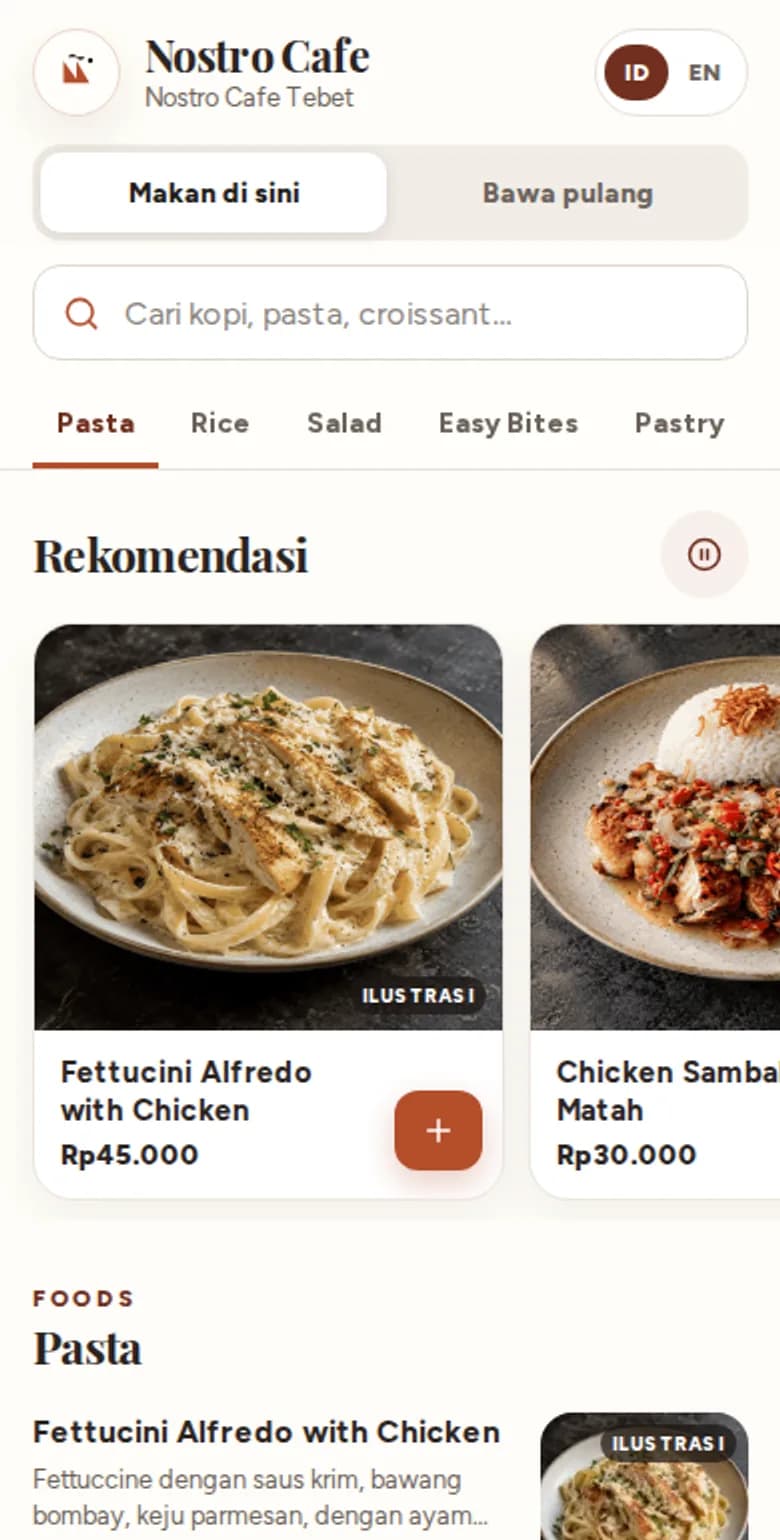
Guests order from their phones. The kitchen gets the ticket without retyping it. Guests who visited are invited back with points and vouchers.
Talk first. No form to fill in.
- No app to download
- Indonesian and English
- Works with common thermal printers
Where sales leak
Four sales leaks Servana closes
Guests don't wait to order
Guests scan the QR code and order for themselves, even when it's busy.
Every order can grow
Recommendations and cart suggestions offer dishes a guest might miss.
Guests come back
Points and vouchers bring back guests who haven't visited in a while.
The menu always matches the kitchen
When a dish runs out or a price changes in Studio, it applies at once on QR and at the till.
Available now
What you can use today
Guests order for themselves
Scan the QR code, pick dishes, send. No app and no account.
Guests return for more
Points, tiers, stamps and vouchers, plus Google review invites for happy guests.
News for guests who agreed
Receipts and promos by WhatsApp or email, only to guests who agreed.
Business numbers in view
Food cost, profit and loss per branch, and a daily summary on the owner's WhatsApp.
A calmer cashier
Counter on Android prints kitchen tickets and records cash, EDC and QRIS.
Quick to start
Import a menu from a photo or PDF, try it with a test order, copy it to many branches.
One visit
From the table to the next visit
From order to meal
Order, scan the QR, pay, food arrives
This is how online payment works on the Gold plan, from the guest ordering to the food being ready.
The guest orders
Picks dishes on the phone and sends the order.
Scan the QR
The guest scans the QRIS code to pay.
Payment succeeds
The payment through a banking or e-wallet app goes through.
Payment confirmed
Servana checks the payment directly with the payment provider.
Order created
The order reaches Counter and the kitchen ticket prints.
Ready to eat
The kitchen prepares it and the guest enjoys the food.
Five products
One system for the whole restaurant
All products read the same menu from Studio. Start with one, add others any time.
Servana Order
QR menus, table ordering, takeaway and e-menu
Guests don't wait for someone to bring a menu. They order as soon as they sit down, and can order again from the same table whenever they like.
Servana KioskComing soon
Self-order screens in store
Several guests order at once on several kiosks, while the cashier takes payments and hands over orders.
Servana Counter
Android cashier app with printing
QR orders appear in Counter and kitchen tickets print automatically.
Servana Studio
Menu, stores, brand and staff in one place
Upload photos or a PDF of your menu. AI makes a draft, you check it and publish.
Servana CRM
Members, points, vouchers and guest messages
Points and tiers give guests a reason to order from you again.
Next up
What we are building
Not usable yet. The order may change.
- Coming soon
Order by WhatsApp chat
Guests type their order, then reply BENAR to confirm.
- Coming soon
Free-text orders read by AI
A guest's sentence is matched to the menu. Anything unclear is asked about, not guessed.
- Coming soon
QRIS reconciliation
Online payments are matched with the money received.
- Coming soon
Bulk edit and themes
Change many prices at once and start from a theme for your type of business.
- Coming soon
PB1 tax report
A tax summary ready for your accountant.
- Coming soon
Servana Kiosk
A self-order screen in the shop, using the same menu.
Built for restaurants in Indonesia
Your restaurant stays in front
Your brand, not ours
Your colours, logo and font show on the guest menu and receipts.
Guest payments are not cut by Servana
The Gold service fee is billed separately each month, not deducted from guest payments.
Rupiah and two languages
Prices in rupiah, tax and service charge in the order your shop sets. Guests pick Indonesian or English.
Till and kitchen through Counter
Orders arrive in Counter and kitchen tickets print from there. No separate POS.
Compared with the rest
Servana next to the tools restaurants usually use
We compare kinds of tools, not brands. "Depends on the product" means some have it and some don't. Ask the provider before you choose.
| Feature | Servana | General POS app | QR ordering app only |
|---|---|---|---|
| QR menu with no app download | Yes | Depends on the product | Yes |
| Android cashier and kitchen tickets | Yes | Yes | Usually not |
| Points, stamps and vouchers | Yes | Depends on the product | Depends on the product |
| Promos and receipts by WhatsApp or email | Yes | Depends on the product | Depends on the product |
| Food cost, profit and loss, and till warnings | Yes | Depends on the product | Usually not |
| Online payment (Gold plan) | Planned | Depends on the product | Depends on the product |
| Ordering by WhatsApp chat | Planned | Depends on the product | Depends on the product |
The Servana column: features running as of 6 November 2026. The other columns: a general picture from providers' public pages.
Pricing
Two plans, clear prices
Start free with Silver. Move to Gold when you want guests to pay online.
Silver
Free no monthly fee
Guests order from the QR, then pay at the till.
- E-menu, table ordering and takeaway
- Pay at the till or on an open bill
- The Android Counter with kitchen tickets
- Menu and stores set up in Studio
Gold
Rp199,000 per store per month
Everything in Silver, plus online payment and tools to bring guests back.
- Guests pay online by QRIS and the channels the restaurant turns on
- Points, vouchers and promos by WhatsApp or email
- Food cost and profit and loss per branch
Gold carries a 2% service fee on the value of orders paid online, billed monthly with the subscription. Cash and pay-at-the-till orders carry no fee. Channel fees from the payment gateway are charged separately.
Getting started
Three steps to the first QR code on a table
Say hello
Tell us how many shops you have and how guests order now.
See the demo
We walk through the flow, then pick the products that fit.
Menu goes live
Upload a menu photo or PDF, check the draft, print a QR code for each table.
Before you start
Common questions
Do guests need to download an app?
No. Servana Order runs in the phone browser.
How do guests pay?
Silver: pay at the till or on an open bill. Gold adds online payment by QRIS and the channels the restaurant turns on.
Do I need another POS to receive orders?
No. Orders arrive in Servana Counter and kitchen tickets print from there.
Which printers work?
ESC/POS thermal printers over LAN, Bluetooth or USB, plus Epson, Star, Sunmi and iMin.
Can the menu differ by branch?
Yes. Menu, prices, opening hours and payment methods are set per shop.
What about guest data?
Guests are recognised by phone number. Promos go only to guests who agreed.
How much does it cost?
Silver is free. Gold is Rp199,000 per store per month, plus 2% of the value of orders paid online.
Talk to us
Tell us about your restaurant.
Chat on WhatsApp, or fill in the short form. Your message is already written when WhatsApp opens.
- No account needed
- Ask for pricing for your number of stores